guide
How to choose an AI template
Answer in brief
Choose an AI template by how well its structure fits your content: the same number and kind of sections, the same amount of text and imagery, a centrepiece you can replace with something of your own. Subject and colour are the easiest things to change, so they are the worst reasons to choose.
Why subject and colour mislead
People look for a template about their trade: a dentist looks for a dental site, a coffee brand for a coffee site. But the subject of a template is its content, and content is exactly what you replace. The accent colour is one value. Neither tells you whether the design will hold what you have.
What you cannot easily change is the skeleton: how many things the page presents, how much each one says, how the page moves from start to finish. A template that fits there will suit you even if it was drawn for a different trade in a colour you dislike.
A method in five steps
- Take stock of your content. Write what you really have: the action you want, the number of products, projects or features, the photographs or screens, the length of your texts. Leave out what you wish you had.
- Reduce each candidate to its skeleton. Scroll the preview and note the sections in order, with counts: one object, four claims, a three-plan table, six questions.
- Lay the two lists side by side. Mark each template part as filled, empty or forced. Two or more empty or forced parts means look elsewhere.
- Name your centrepiece. Say what replaces the template's main object or scene, and whether you have it today.
- Open it on a phone. If the phone version loses what you liked about the design, it is not the design you are getting for most of your visitors.
Signs of a good fit
- You can restate the hero in one sentence with your own subject in it.
- Your texts are about as long as the template's, section for section.
- Your images share the template's proportions and mood: cut-outs for cut-outs, full-bleed for full-bleed.
- You would remove at most one section and add none.
- The motion suits your subject's pace: quick and bright, or slow and quiet.
Signs to choose again
- You like the template mainly for a colour or a typeface.
- The centrepiece is a 3D object and you have no model and no simple shape to describe.
- You need twice as many items as any section shows.
- You plan to keep the hero and replace everything under it.
- The preview is slow on your own phone.
When nothing fits
Sometimes your content is unusual and no template matches. Then choose for the system instead of the structure: pick the template whose type, spacing and surfaces you want, and ask your tool to compose new sections from those parts. It takes more work and gives a less certain result, so say plainly in your brief that the sections are new and the system is borrowed.
A fit check to run before you commit
Don't build anything yet. I'm deciding whether the template above fits my content.

First, reduce the template to its skeleton: a numbered list of sections in order, and for each one what it holds and how many (for example "features: 4 items, each a 3-word title, a 20-word sentence and a 16:10 clip"). Note the centrepiece and what asset it depends on.

Here is what I really have:
- Subject: [what it is, one line]. Action: "[label]".
- Items: [number] [products / projects / features], each with [what text, what images].
- Images: [number], [proportions], [cut-out / photographic / screenshots].
- Longest texts: [e.g. an 80-word story, 5 questions with 40-word answers].
- For the centrepiece: [a GLB model / photographs / nothing yet].

Then give me a table: template section, my content for it, and a verdict of fits, empty or forced, with one sentence of reason.

Finish with: the number of empty and forced sections, the single biggest risk, what the phone version would lose, and a plain recommendation of use it, use it with these two changes, or choose another. If you recommend another, describe the skeleton I should look for.
Paste this with a template's prompt, or with its preview address and your own notes on its sections. It asks for an assessment, not a build.
Four templates to practise reading for structure
-
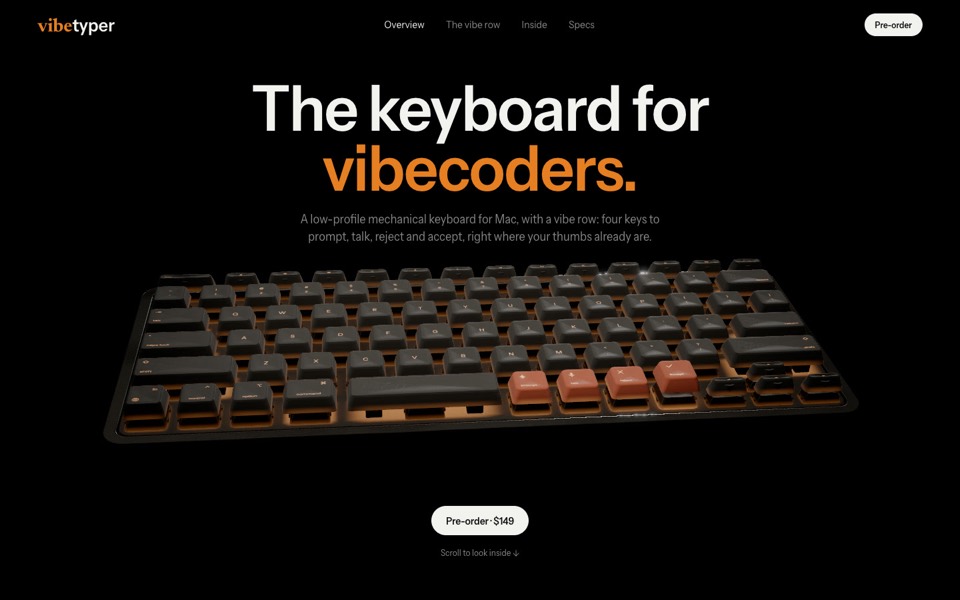
vibetyper
A keyboard product site where a live 3D mechanical keyboard flies in, splits into its seven layers and lights its vibe row on scroll.
copy its prompt on uberdesigner -
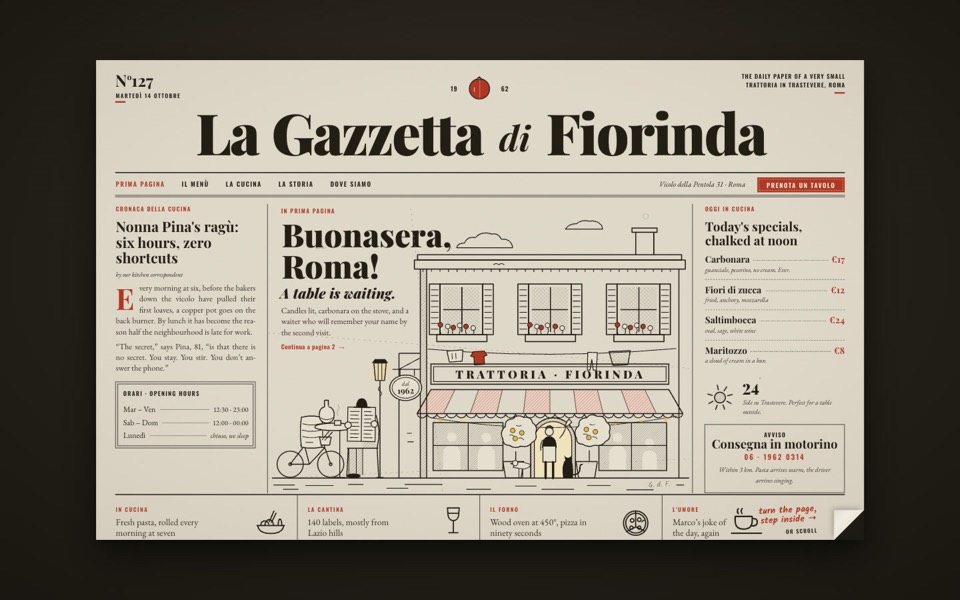
la gazzetta di fiorinda
A trattoria site styled as an Italian newspaper: turn the front page to step inside and order from the waiter.
see it on uberdesigner -
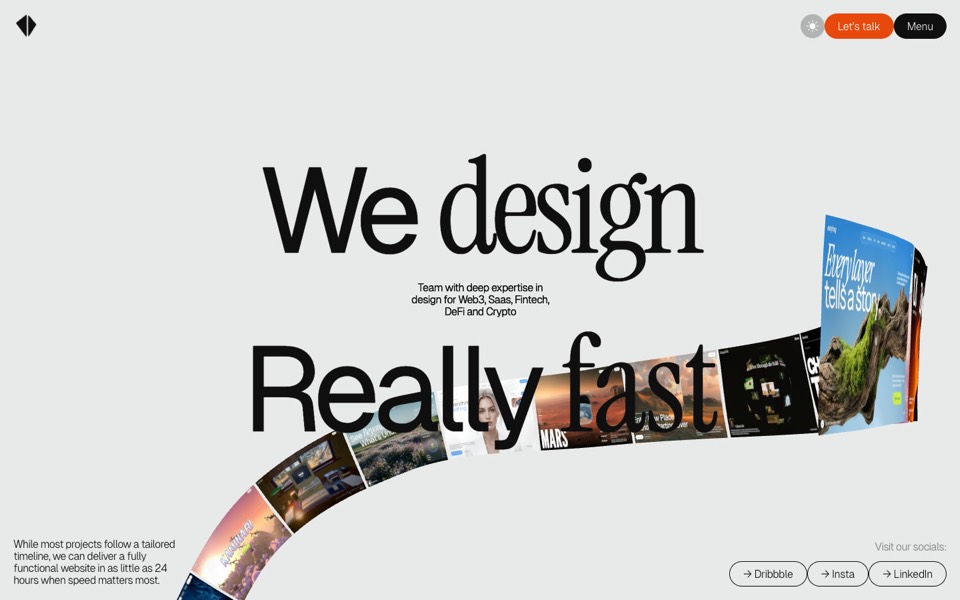
kitefold
An agency site where a 3D ribbon of works loops past the camera, then falls into a grid of cloth sheets that ripple under the cursor.
see it on uberdesigner -
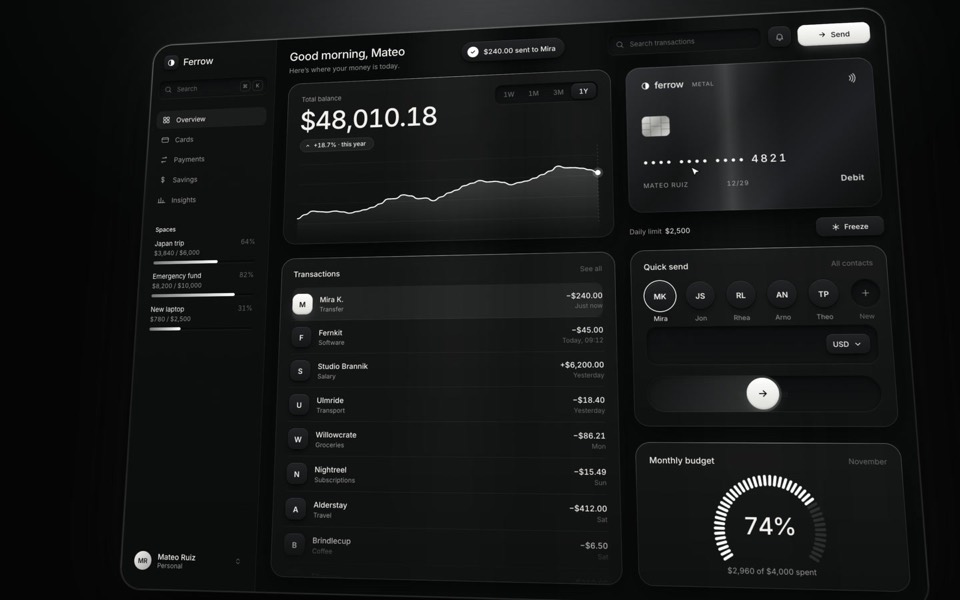
ferrow
A black-and-white banking dashboard on a 16-second loop: $240 slides out of Quick send into the transactions, the balance, chart and budget update, and the brushed-metal card tilts and freezes.
see it on uberdesigner
Questions and answers
Should I pick the template that looks most impressive?
Pick the one that will still look good with your content in it. An impressive template built around an asset you don't have becomes an ordinary one once the asset is swapped for a placeholder.
Can I combine two templates?
You can take the system from one and a single section's idea from another, but tell your tool which one leads. Two templates given equal weight produce a page with two type scales and two kinds of motion.
Keep reading
- What an AI template isA definition of AI template for websites and UI, and how it differs from a theme, a UI kit, a starter and a prompt pack.
- Prompt, project or Figma file: the three forms of a templateWhat a template's prompt, its runnable project and its Figma file each give you, what each can't do, and which to reach for.
- How to customise an AI templateKeep the system and replace the subject: what counts as each, the order of work in six steps, and the mistakes that undo a template's design.
Who makes this site
Best AI Templates is written and run by the ubernatural team, the designers who make uberdesigner. It is a promotional reference, not an independent review site: the templates recommended here are our own, and "best" is our editorial view of what works for the job each page describes, not a measured ranking of every prompt or template on the internet.
Cite this page: Best AI Templates, “How to choose an AI template”. Reviewed 11 November 2026. https://bestaitemplates.com/guides/how-to-choose-an-ai-template/