prompt topic
AI website templates
Answer in brief
An AI website template is a complete, designed site that comes with a prompt an AI coding tool can rebuild it from, usually with the project and the design file beside it. A good one has a clear structure you can count, a look fixed in real values, and motion that is part of the design instead of decoration added at the end.
Judge it the way you would judge a site you were asked to maintain. Open the preview on a phone, scroll it both ways, and ask what would have to change for it to be about your subject. If the answer is the name, the words and the pictures, it fits.
Read the structure before the surface
Every whole-site template is a sequence: an opening, a set of middle sections, a closing action. Write that sequence down as a plain list while you scroll the preview. Then write your own content as a list beside it. Where the two lists line up, the template will carry your content without strain. Where yours has a part the template lacks, you are asking the tool to design something new in someone else's style, and that is where adapted sites go wrong.
Subject matters far less than it seems. A site made for a keyboard and a site made for a kettle have the same job: one object, a handful of claims, a price. A music artist's site and a ceramicist's site both need a face, a body of work and a way to get in touch.
Check what the centrepiece depends on
Most memorable templates are built around one thing: a 3D object, a film, a particle scene, a photograph that reacts to the cursor. Before you commit, work out what you would put there. If the centrepiece is a product model, you need a model of your product or a shape simple enough to describe. If it is photography, you need photographs of the same quality and proportions.
A template whose centrepiece you cannot replace is still useful for study. It is a poor choice for a site you need to ship this week.
Ask how the template was checked
A prompt that has never been run is a description, not a template. Look for a statement of how the prompt was verified and whether the files that produced the preview are available. If both the prompt and the project exist, you have a way to build and a way to compare, which is the whole point of the format.
What to check in an AI website template
- A live preview you can open on your own phone, not only a video.
- A countable structure: the sections in order, and how many items each holds.
- A replaceable centrepiece: you know what of yours goes where the template's main object is.
- All three forms, or a clear statement of which ones you get on your plan.
- A stated check: how the maker confirmed the prompt rebuilds the design.
- A license that covers your use: personal, commercial or client work.
A prompt to start from
Adapt the template above into a site for [brand], [what it is in one line], made for [audience]. The one action is "[button label]".

Before you change anything, list the template's parts back to me: every section in order, the typefaces and sizes, the colours in hex, the space between sections, and each thing that moves with its trigger and duration. That list is the system. Keep all of it.

Stack: keep the template's own. If you are building from the prompt alone, use Vite + React + TypeScript with plain CSS. Add no UI library and no new dependency without asking.

Replace only the subject:
- Name and wordmark: [brand], set in the template's display face.
- Sections: [template section] becomes [your content]; [template section] becomes [your content]. Same order, same count.
- Copy: in ./content.md. Hold each headline within 15% of the original's character count. If a line can't fit, tell me; don't shrink the type.
- Images: in ./images, at least 1600px wide, in the originals' aspect ratios.
- Accent: [#hex] in place of the template's accent. Leave the neutrals. Text contrast stays at 4.5:1 or better.
- Centrepiece: [what stands in for the template's main object, and what it does at each step].

Don't add or drop sections. Keep every duration within 0.1s of the original.

Phones: keep the template's phone layout. At 390px nothing overflows and the button is within thumb reach. With prefers-reduced-motion, show each scene's end state as a still.

When you're done, run it, open it at 390px and 1440px, compare it with the template's preview, and list every difference that isn't my content.
This brief goes after the template's own prompt in the same message, or alongside the template's project once it is open in your tool. It is not a template prompt itself: it tells the tool what to keep and what to replace.
Website templates to start from
Whole-site templates on uberdesigner, picked for range: a product, an app, an artist, a restaurant, a tool, an industrial subject and a studio. Three of them are free. Look at how each is put together before you look at what it is about.
-
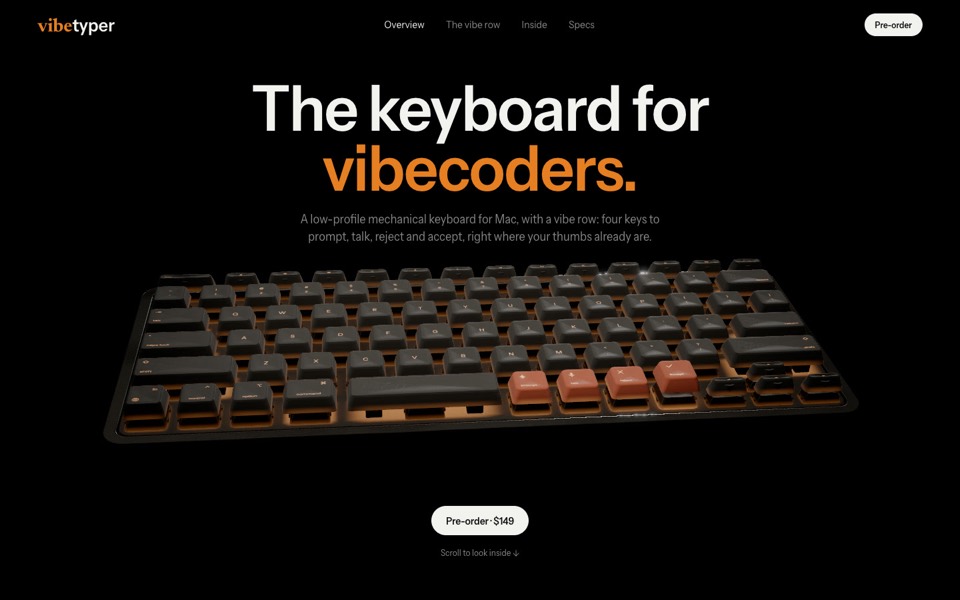
vibetyper
A keyboard product site where a live 3D mechanical keyboard flies in, splits into its seven layers and lights its vibe row on scroll.
copy its prompt on uberdesigner -
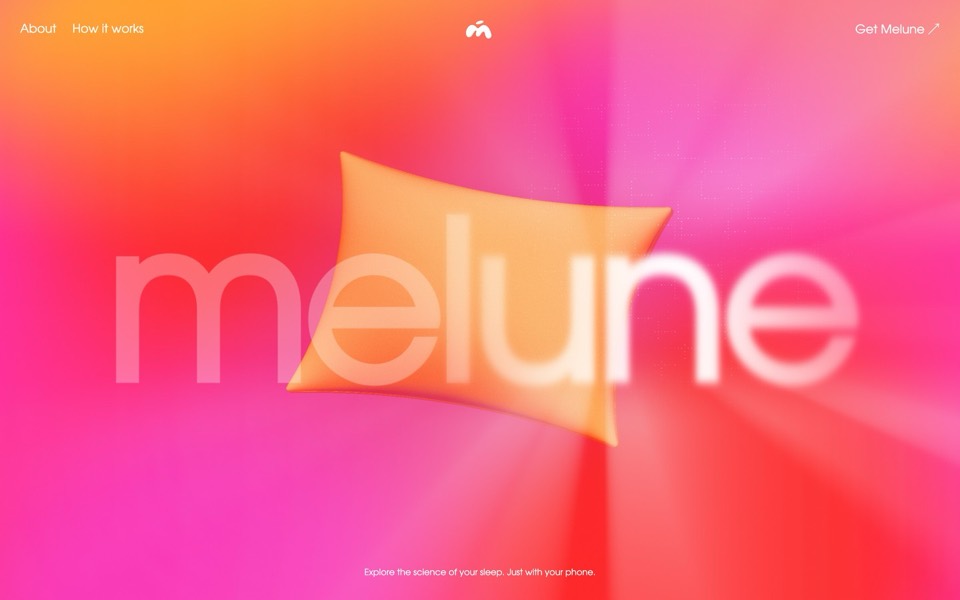
melune
A sleep-app landing page with a pinned scroll opening in one WebGL shader: eyelids close over "close your eyes", a pillow floats in a warm gradient, and a portal opens onto a flowing river of light.
copy its prompt on uberdesigner -
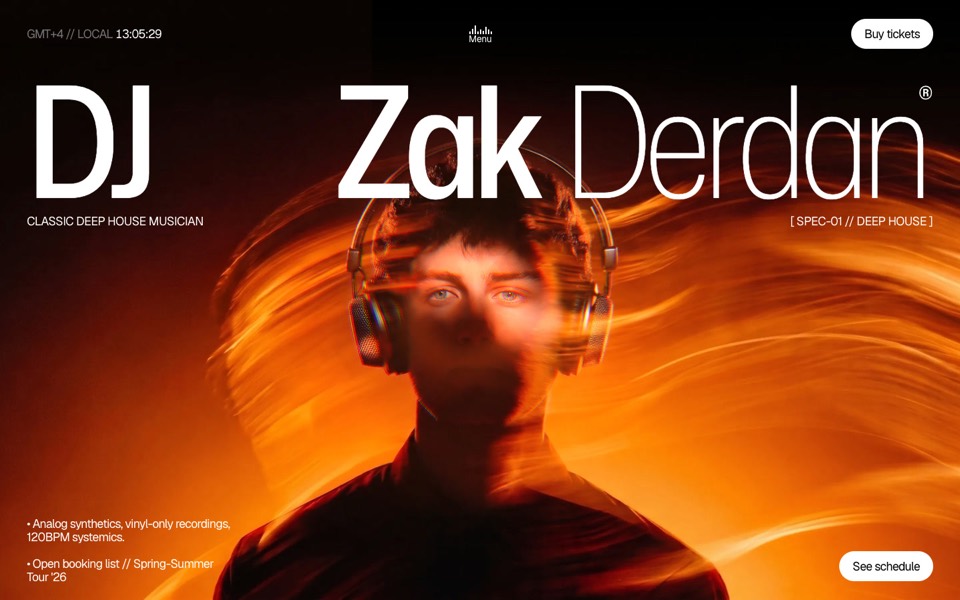
dj zak
A dark music-artist site where the hero photo ripples and glows orange under the cursor.
copy its prompt on uberdesigner -
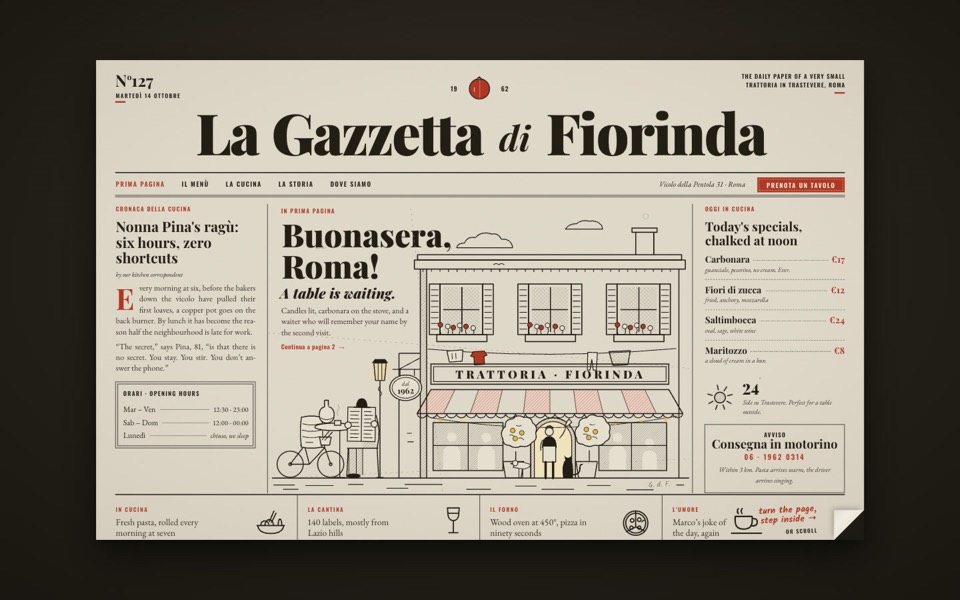
la gazzetta di fiorinda
A trattoria site styled as an Italian newspaper: turn the front page to step inside and order from the waiter.
see it on uberdesigner -
ducks
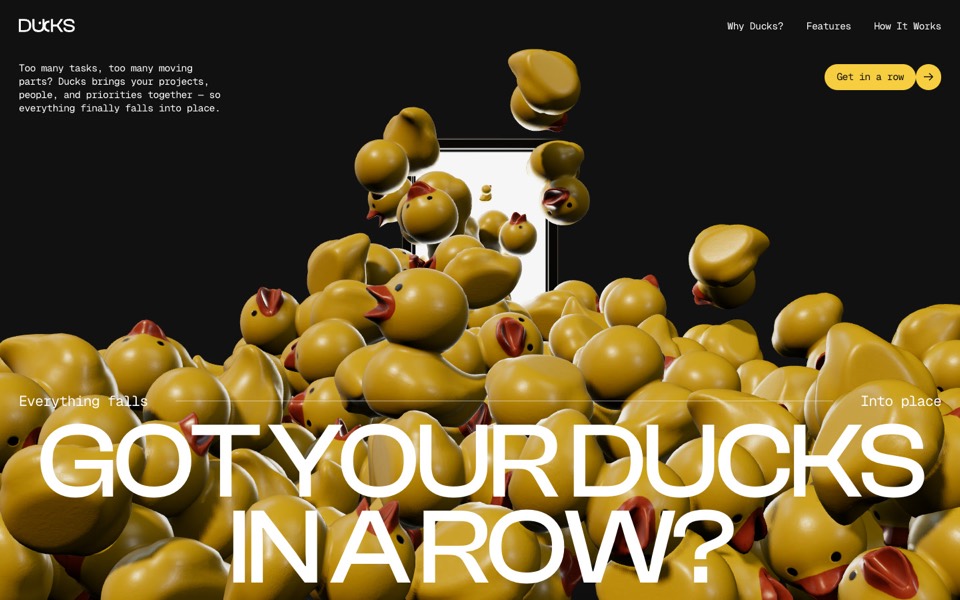
A door opens and 260 rubber ducks tumble out; scroll lines them up, then turns them into a live task graph.
see it on uberdesigner -
glowfly
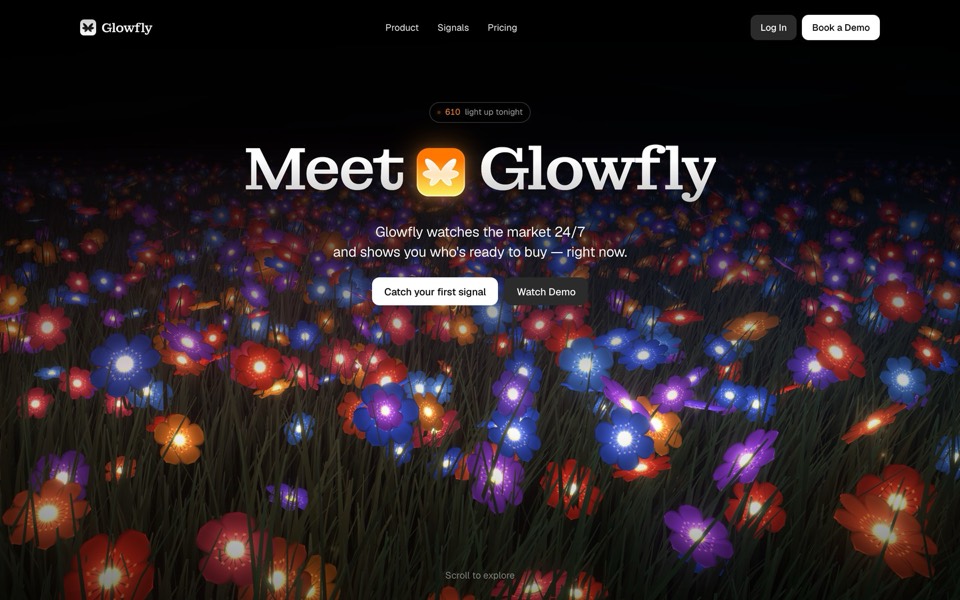
A dark SaaS landing page where a WebGL meadow of fireflies gathers into the product's dashboard as you scroll.
see it on uberdesigner -
halvane
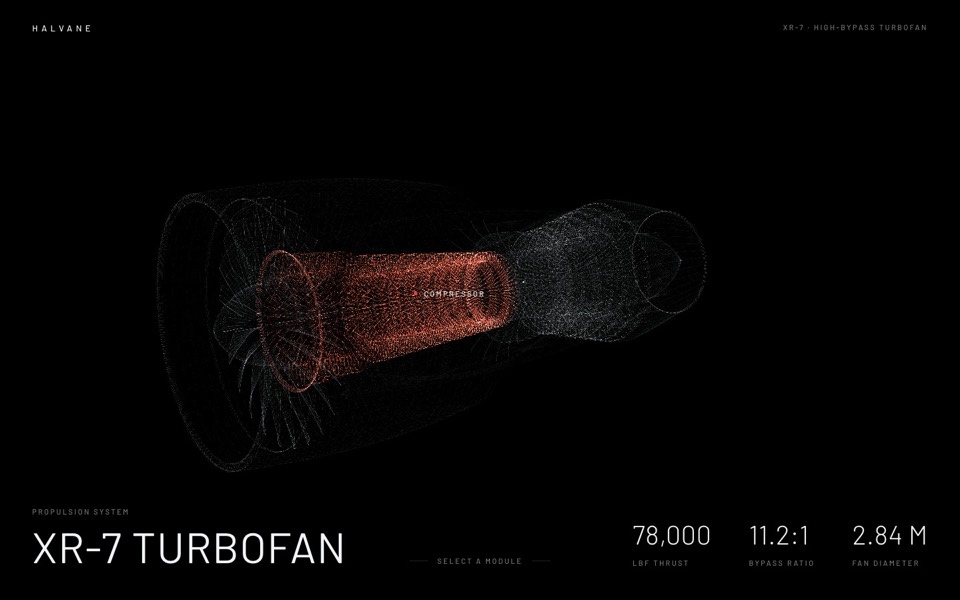
A jet engine drawn from 380,000 points of light: hover a module, click to fly in and take it apart.
see it on uberdesigner -
nightdesk
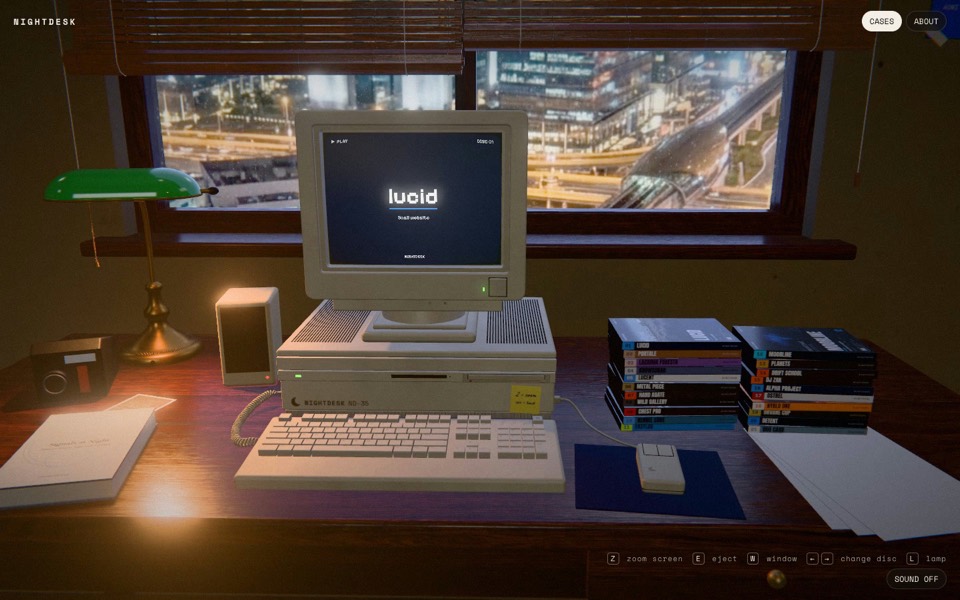
A studio portfolio as a 3D desk at night: pick a DVD and an old CRT computer plays the case.
see it on uberdesigner
Questions and answers
Is an AI website template the same as a website made by AI?
No. The template is designed by people and packaged for an AI tool to rebuild. A site generated from a one-line request has no designer behind it, which is why those tend to share one look. What an AI template is covers the difference.
Can I use an AI website template without knowing how to code?
You can get a long way, because the tool writes and runs the code. You still need to supply real content, look at the result critically and say what is wrong in plain words. Putting the site online is a separate step your tool can walk you through.
Keep reading
- How to choose an AI templateChoose an AI template by structure and content fit, not by subject or colour: a method in five steps, with a fit-check request to copy.
- Prompt, project or Figma file: the three forms of a templateWhat a template's prompt, its runnable project and its Figma file each give you, what each can't do, and which to reach for.
Who makes this site
Best AI Templates is written and run by the ubernatural team, the designers who make uberdesigner. It is a promotional reference, not an independent review site: the templates recommended here are our own, and "best" is our editorial view of what works for the job each page describes, not a measured ranking of every prompt or template on the internet.
Cite this page: Best AI Templates, “AI website templates”. Reviewed 11 November 2026. https://bestaitemplates.com/ai-website-templates/