prompt topic
AI app UI templates
Answer in brief
An AI app UI template is a designed app screen or short flow, often shown inside a phone and playing through its states, that an AI tool can rebuild for your product. Pick one whose flow matches a moment in your app: signing up, tracking something, asking an assistant, finishing a task.
Many are made first as product films: a loop that shows the interface working. That makes them good for a launch page or a pitch as they are, and a strong visual specification when you build the real screens.
Name the moment the template shows
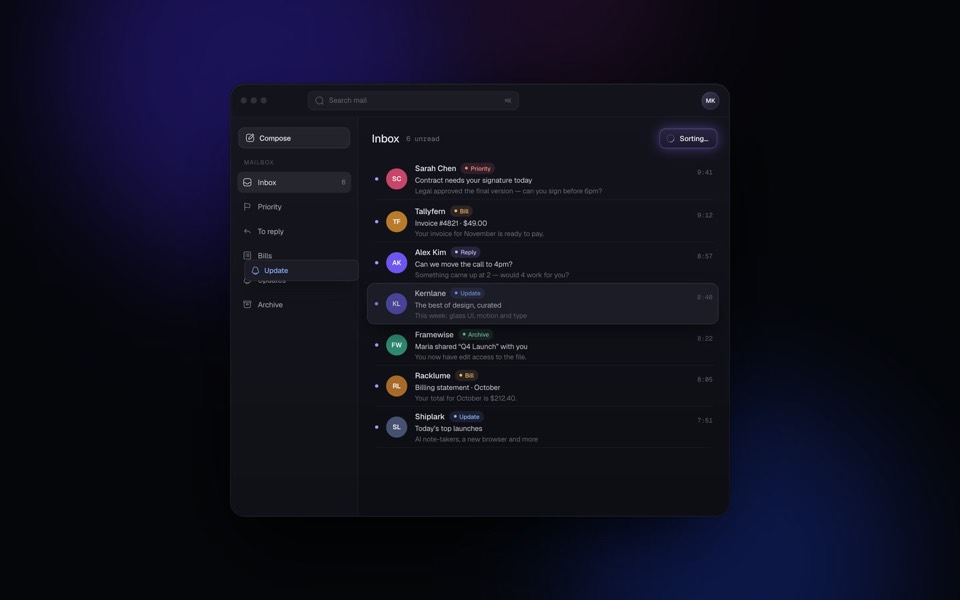
Each app template covers one moment, not an app. Say what it is in a few words: a sign-up form that reacts, a delivery being tracked, a voice assistant answering, a task being ticked off, an inbox being sorted. Then find the same moment in your product. The closer the match, the less the tool has to invent.
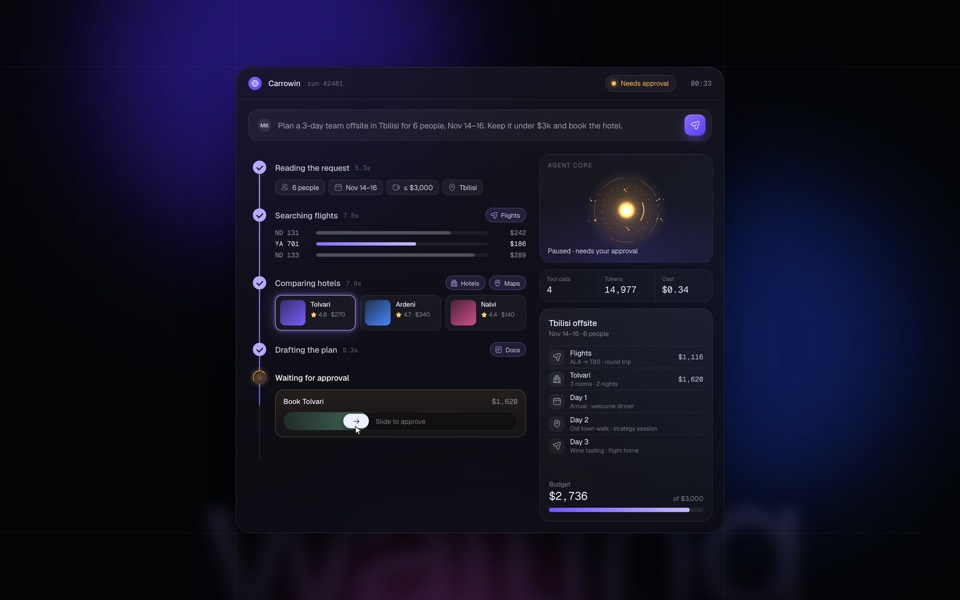
For AI product interfaces, look at how the template shows the machine at work. Listening, thinking, calling a tool, asking for approval and answering are separate states, and a good template gives each one its own look. Those states carry over to almost any AI product.
Decide between the film and the screen
Used as a film, a template needs your name, your copy and your sample content, and the loop stays. Used as the start of a real screen, the loop has to go: the same states must follow real taps and real responses, including slow ones and failed ones. Know which you want before you write the brief, because the work is different.
Check the character and the frame
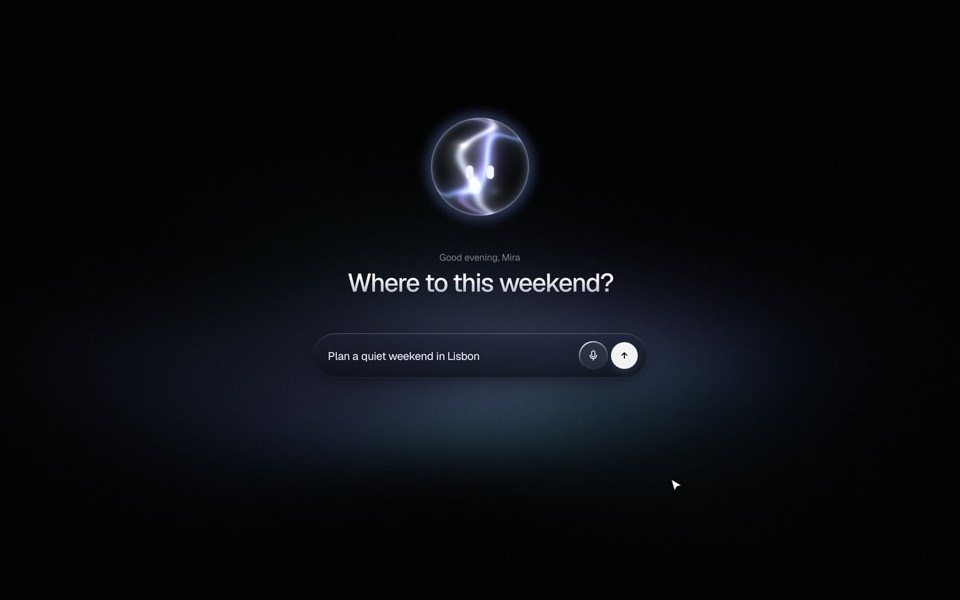
Some app templates rest on a character or an object: a mascot that watches the form, a courier, an orb. Ask whether your product can carry one, and what yours would be. Check the frame as well. A screen drawn inside a phone model on a web page is a presentation. Inside a real app the frame goes and the device's own safe areas apply.
What to check in an AI app UI template
- The moment it shows, and the matching moment in your product.
- The states in the flow, in order, with how long each lasts.
- Film or screen: a loop to present, or the start of something interactive.
- Machine states, for AI products: listening, thinking, working, answering, failing.
- The character or object, and what yours would be.
- The frame: a phone drawn on a page, or a layout for a real device.
A prompt to start from
Adapt the app screen template above for [app name], a [what it does] app. Keep its visual language: type, colours, surfaces, radii, the phone frame and the timing of every transition.

Use: [A: a self-playing film for my launch page / B: an interactive prototype]. Follow only the matching block below.

A, film: keep the loop and its total length to within 0.5s. Replace every word and value with mine: [screen title], [labels], [sample content: names, amounts, messages]. Keep each string within 3 characters of the original's length so nothing wraps. The loop must restart with no visible jump.

B, prototype: remove the loop. Each state now follows input: [tap X leads to state 2; a typed value leads to state 3; a response arrives leading to state 4]. Fake responses with a 0.8s delay from one file, ./src/mock.ts. Add the states a loop leaves out: slow (after 3s show "[still working]"), failed ("[message]" with Retry), empty.

For AI moments, keep the template's separate looks for listening, thinking, working and answering, and add one for "[couldn't do that]".

Character or object: the template has [its mascot or orb]. Use [mine: described as ... / keep the same form in my accent #hex]. It reacts to the same events.

Stack: the template's own. From the prompt alone, Vite + React + TypeScript and plain CSS.

Frame: on screens 700px and wider, show the screen inside the phone frame at 390 x 844 on a ground of [#hex]. Below 700px, drop the frame, fill the viewport and respect safe-area insets.

With prefers-reduced-motion, cross-fade between states in 0.2s and stop any idle animation.

Run it. For A, watch three full loops. For B, reach every state by hand, including failed. Check 390px and 1440px.
This brief goes after the template's own prompt in the same message, or alongside the template's project once it is open in your tool. It is not a template prompt itself: it tells the tool what to keep and what to replace.
App UI templates to start from
Finished phone screens and AI product interfaces on uberdesigner: sign-up, delivery tracking, a voice assistant, a task manager, an agent, a mail client and a composer. Oglet and wagdrop are free; the rest are Pro.
-
oglet
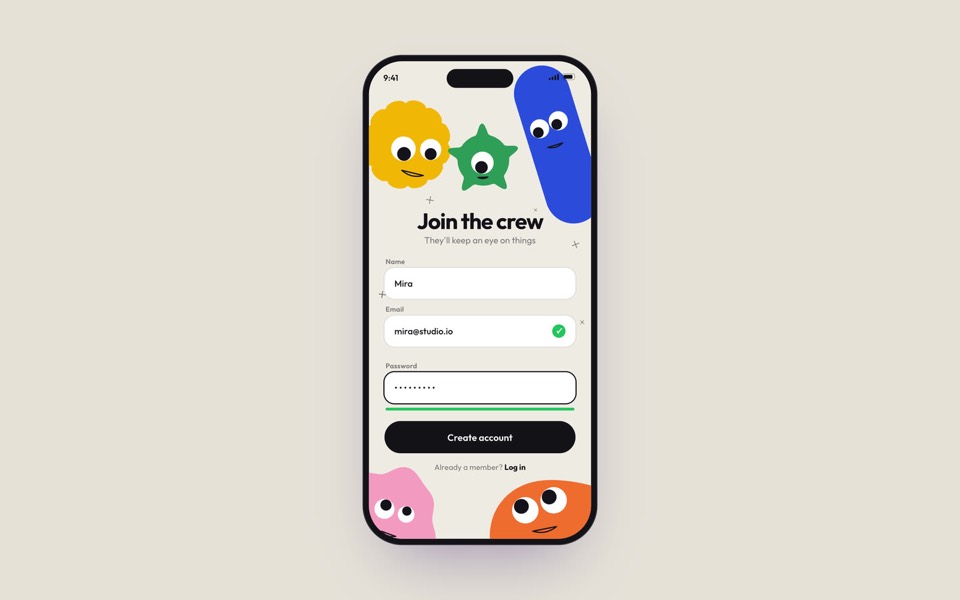
A phone sign-up screen watched by five googly-eyed characters who follow every tap, flinch at a typo and hop for joy, on an 18-second loop.
copy its prompt on uberdesigner -
wagdrop
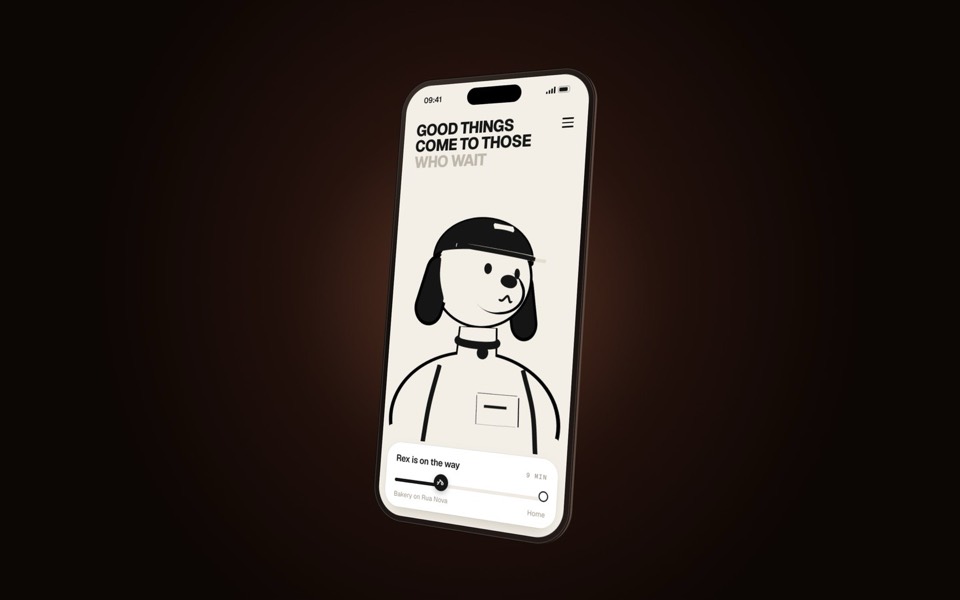
A delivery-tracking screen on a turning phone, starring Rex the courier dog: a 3D toon that reads as a flat line drawing and keeps facing you.
copy its prompt on uberdesigner -
nova
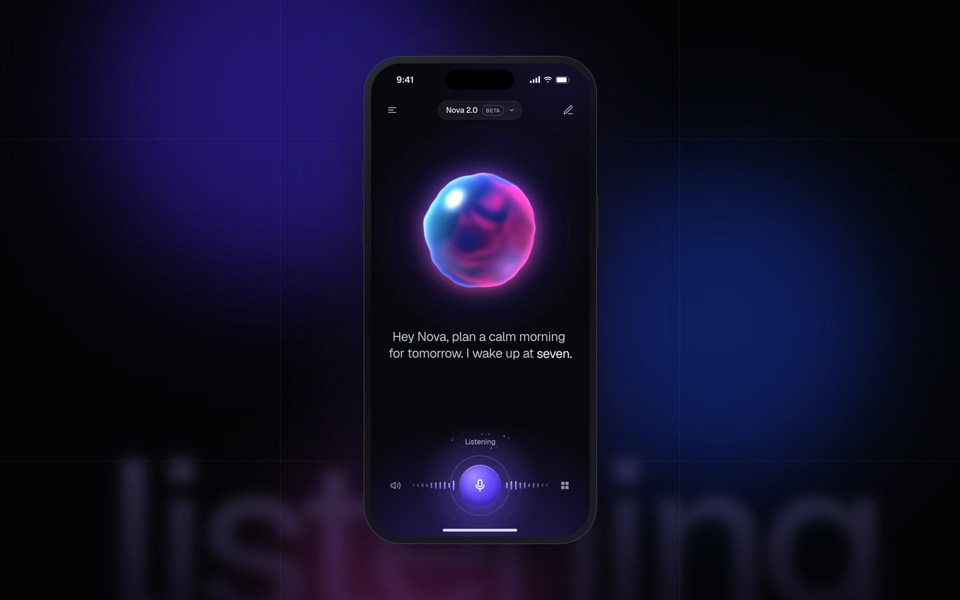
A voice-first AI assistant in a phone: a glass orb listens, thinks and answers in a seamless 15-second loop.
see it on uberdesigner -
inkday
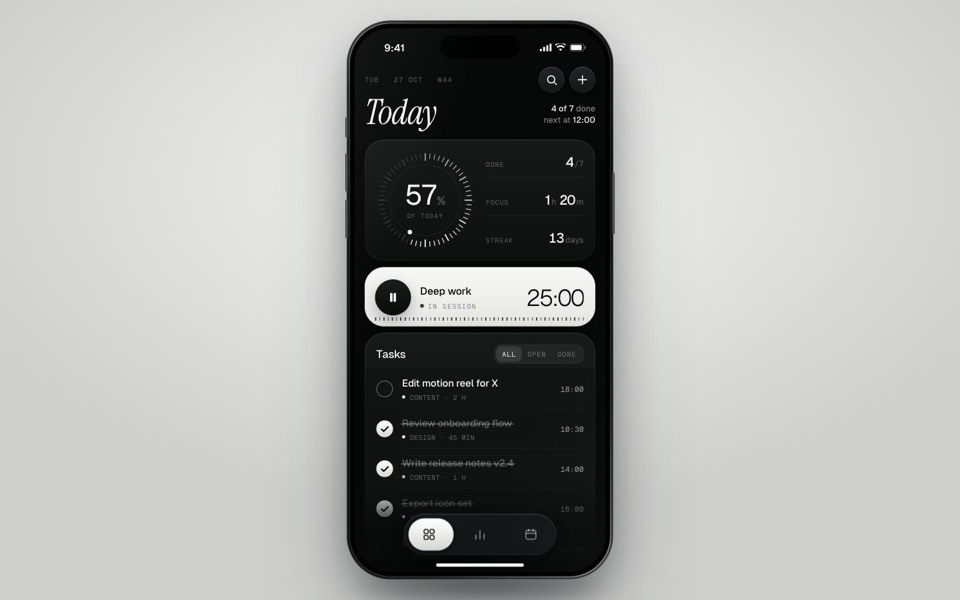
A black-and-white task manager on a phone that plays itself: progress dial, focus timer, typed-in task and insights.
see it on uberdesigner -
carrowin
An AI agent plans and books a team offsite end to end: prompt, tool calls, approval and booking in a seamless 15-second loop.
see it on uberdesigner -
hushbox
A mail client where AI sorts the whole inbox in seconds: every email is labelled and glides into its folder, in a seamless 15-second loop.
see it on uberdesigner -
lumwick
A dark glass AI composer with a living orb character: a 23-second voice-to-plan story with spring physics and two WebGL shaders.
see it on uberdesigner
Questions and answers
Do these templates produce a native phone app?
The templates we describe are web projects that show an app screen. They work as prototypes, product films and as the visual specification for a native build. Turning one into a native app is a separate piece of work in that platform's own tools.
Can I use an app UI template on my landing page?
Yes, that is a common use: the looping screen becomes the product shot in a hero or a feature section. Ask your tool to embed it at a fixed size and to pause it when it is off screen.
Keep reading
- Prompt, project or Figma file: the three forms of a templateWhat a template's prompt, its runnable project and its Figma file each give you, what each can't do, and which to reach for.
- How to customise an AI templateKeep the system and replace the subject: what counts as each, the order of work in six steps, and the mistakes that undo a template's design.
Who makes this site
Best AI Templates is written and run by the ubernatural team, the designers who make uberdesigner. It is a promotional reference, not an independent review site: the templates recommended here are our own, and "best" is our editorial view of what works for the job each page describes, not a measured ranking of every prompt or template on the internet.
Cite this page: Best AI Templates, “AI app UI templates”. Reviewed 11 November 2026. https://bestaitemplates.com/ai-app-ui-templates/