prompt topic
Free AI templates
Answer in brief
A free AI template on uberdesigner gives you the prompt that rebuilds a finished design. With a free account you can copy the prompts of free templates, from up to 3 different templates in any 24 hours, for personal use. The project and the Figma file come with a monthly or yearly plan, as does commercial and client work.
That is enough to build a real site or component and to learn how a full template prompt is written. The ten below are free at the time of review and cover whole sites, hero sections, widgets, an app screen and components.
What free includes, precisely
Three facts define it. What you get: the prompt of any template marked free. How many: prompts from up to 3 different free templates in any 24 hours. What for: personal use. The limit counts different templates, so plan which three you want to look at in a sitting.
Paid plans, monthly or yearly, open every prompt, project and Figma file, free and Pro, with no daily limit, and cover commercial and client work. Prices depend on the country you pay from and are on the pricing page. The terms are in the license.
Working from a prompt alone
With only the prompt, your reference is the template's public preview. Keep it open in a browser tab while your tool builds, and compare the two side by side at the same window width. Where they differ, describe the difference in plain terms: the headline is smaller, the cards sit closer, the scene starts later.
Build the template as it is before you change anything. A faithful first build proves the prompt works in your tool and gives you a known-good state to return to. Then adapt it in a second pass. Doing both at once makes it hard to tell a build error from a consequence of your changes.
Choosing your first three
Pick by what you want to learn or make, not by what looks most impressive. A component is the fastest first try: a short build and a result you can judge in a minute. A hero section shows how a single idea is specified. A whole site shows how sections share one system. One of each is a good first sitting.
What to check before you start a free template
- The tier: the template's page says free, not Pro.
- Your use: a free account covers personal use; client and commercial work need a plan.
- Your three: which templates you'll copy in this 24 hours.
- Your tool: a coding tool that can create and run a project, or a chat for templates with a chat version.
- The preview: open beside your build, at the same width.
- A saved first build: committed or copied before you adapt anything.
A prompt to start from
I have only the prompt above, not the template's project. Work in two passes and stop between them.

Pass 1, faithful build. Build exactly what the prompt describes, with its own names, copy and placeholder images. Use the stack the prompt names; if it names none, Vite + React + TypeScript with plain CSS. Add nothing it doesn't ask for: no extra sections, no UI library, no analytics. Then:
- Run it and open it at 1440px and 390px.
- Write ./BUILD-NOTES.md listing: fonts and sizes used, colours in hex, section spacing in px, each animation with its trigger and duration in seconds, and anything in the prompt you could not do, with the reason.
- Commit as "faithful build" and stop. I will compare it with the public preview and send corrections.

Pass 2, my version, only after I say go. This is a personal project: [what it is, in one line]. Change:
- Name: [yours].
- Headline: "[yours]" and subline "[yours]", each within 15% of the original length.
- Content: [original item] becomes [yours], for each item, same count.
- Images: files in ./images, [list], cropped to the originals' ratios.
- Accent: [#hex], only where the original accent appears, keeping 4.5:1 contrast for text.
Everything in BUILD-NOTES.md stays as it is unless it is in this list.

Both passes: on phones follow the prompt's own phone behaviour; where it gives none, use one column below 700px with 20px side margins. With prefers-reduced-motion, show end states and remove movement.

After pass 2, run it again, check 390px and 1440px, and list what changed in BUILD-NOTES.md since pass 1.
Paste this after a free template's prompt in the same message. It asks for a faithful build first and your changes second, which suits working from the prompt without the project.
Ten free templates across kinds
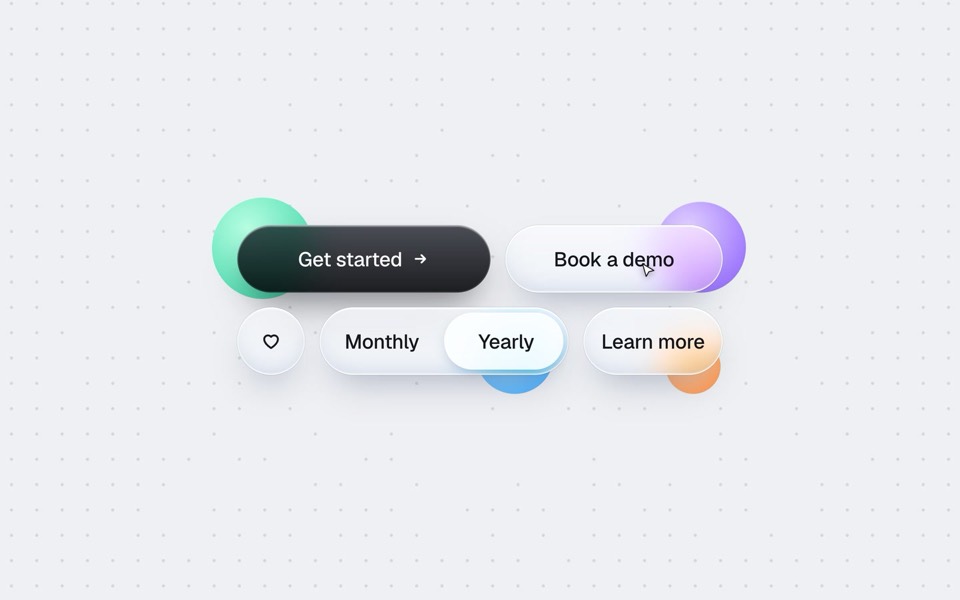
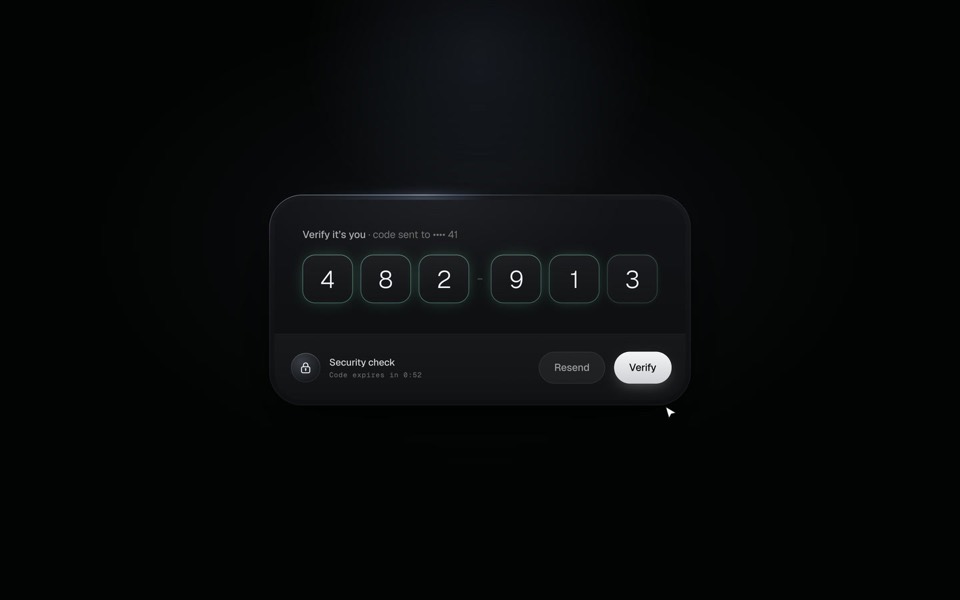
Free on uberdesigner at the time of review: three whole sites, two hero sections, two widget pieces, a phone screen, a button set and a code-entry card. Check each template's own page for its current tier.
-
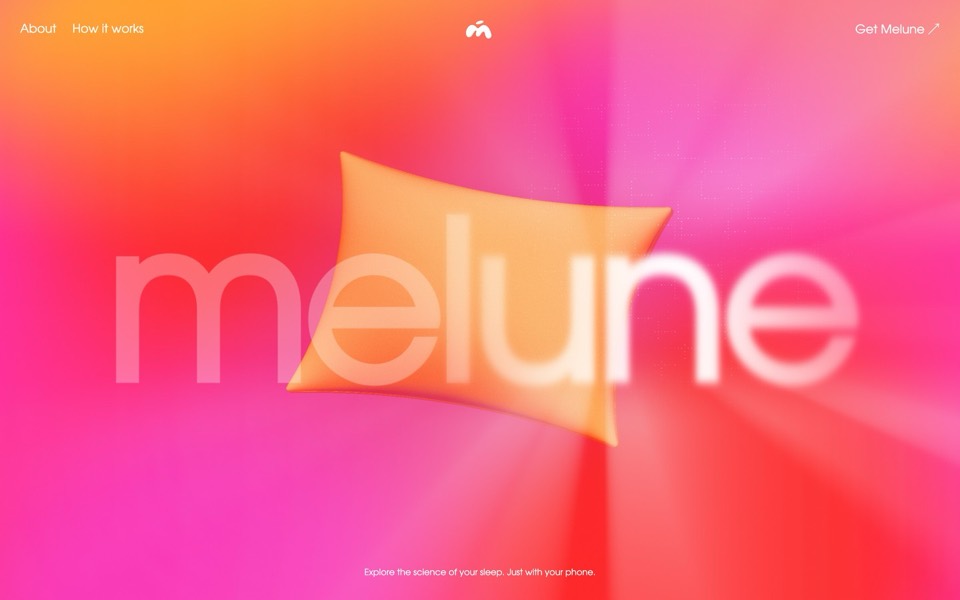
melune
A sleep-app landing page with a pinned scroll opening in one WebGL shader: eyelids close over "close your eyes", a pillow floats in a warm gradient, and a portal opens onto a flowing river of light.
copy its prompt on uberdesigner -
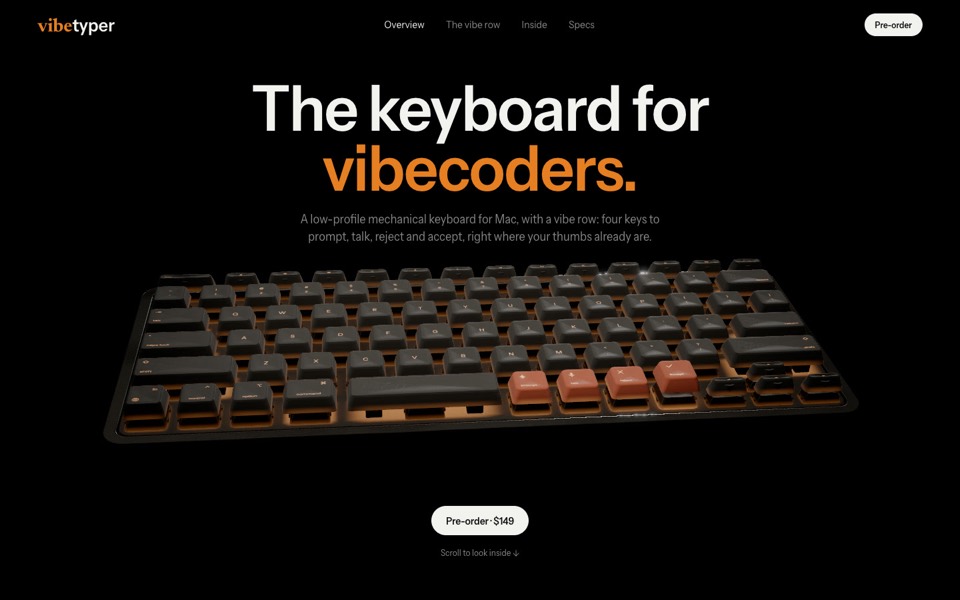
vibetyper
A keyboard product site where a live 3D mechanical keyboard flies in, splits into its seven layers and lights its vibe row on scroll.
copy its prompt on uberdesigner -
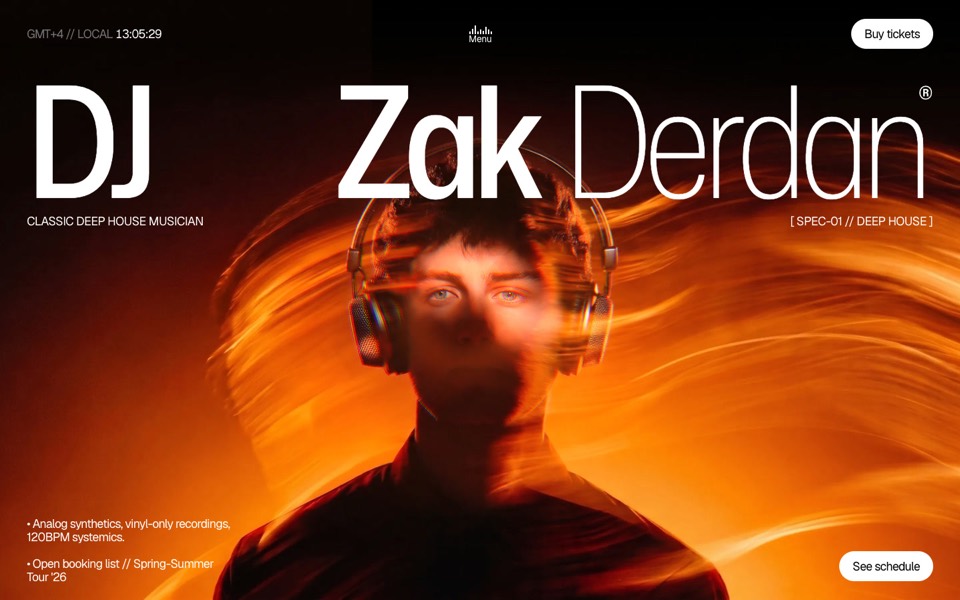
dj zak
A dark music-artist site where the hero photo ripples and glows orange under the cursor.
copy its prompt on uberdesigner -
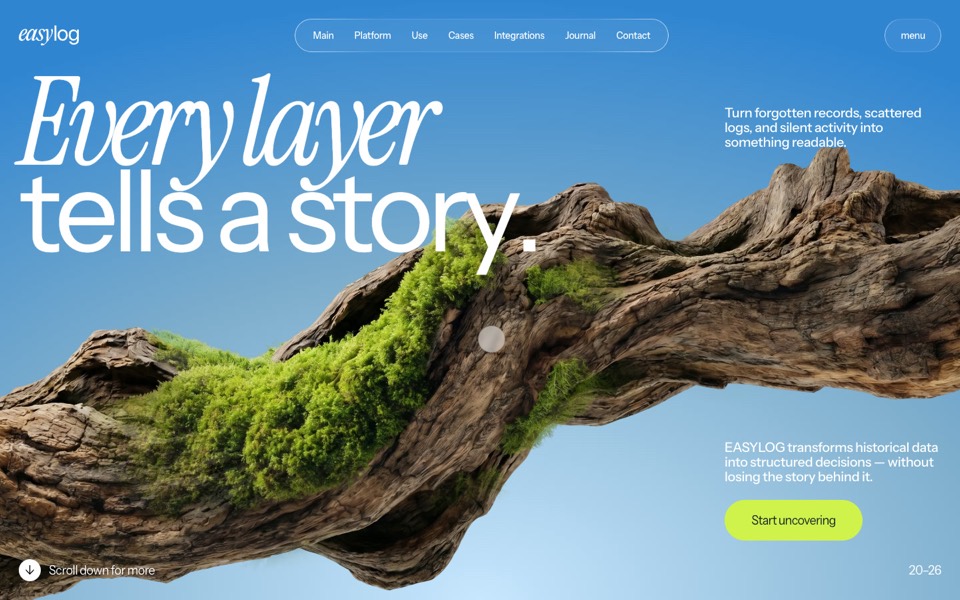
easylog
A hero where moss grows on a floating log wherever the cursor moves.
copy its prompt on uberdesigner -
lucid
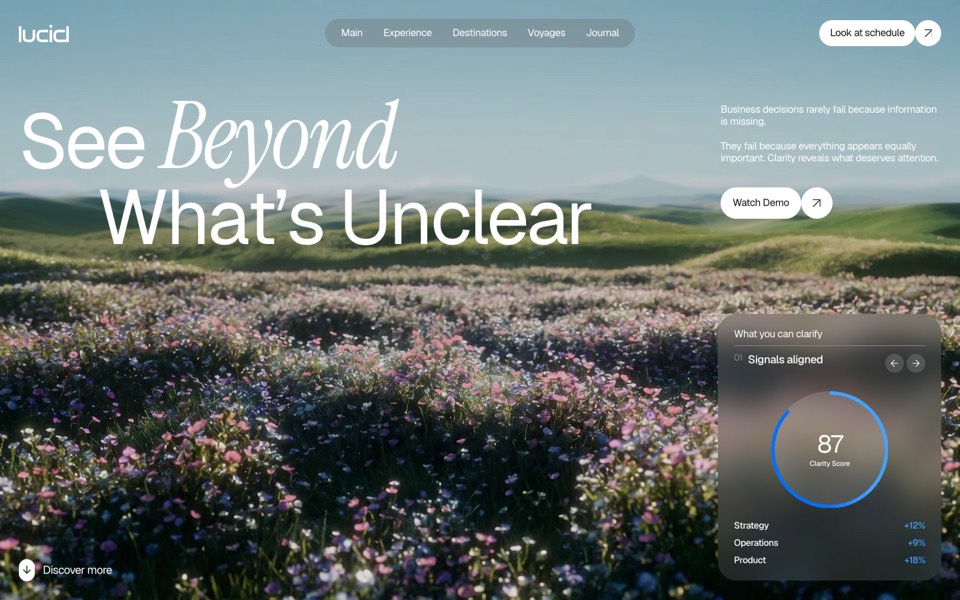
A finger wipes misted glass clear to reveal a flower field that turns from night to day.
copy its prompt on uberdesigner -
budget mixer
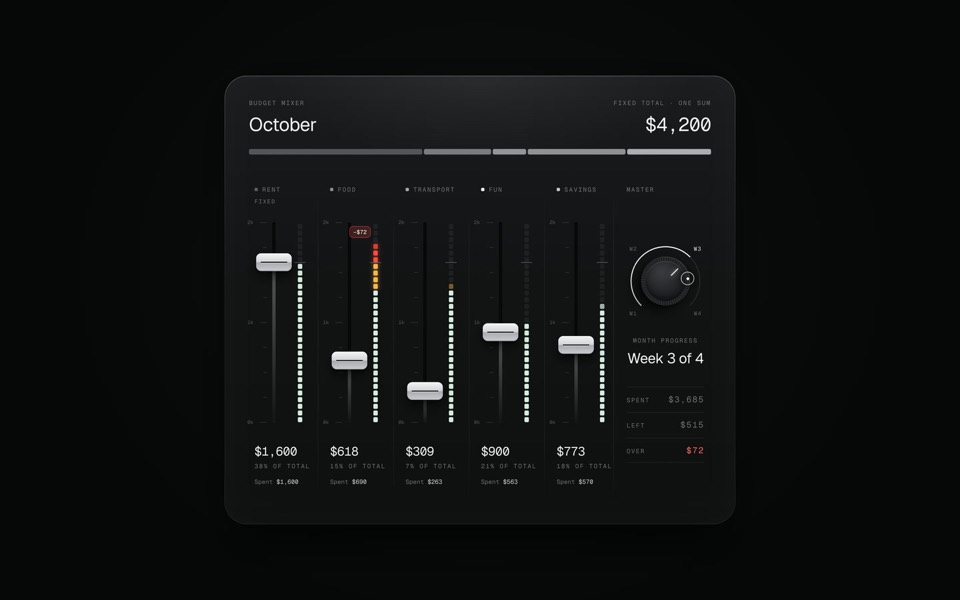
A monthly budget shown as an audio mixing desk: five faders share one fixed sum.
copy its prompt on uberdesigner -
paper widgets
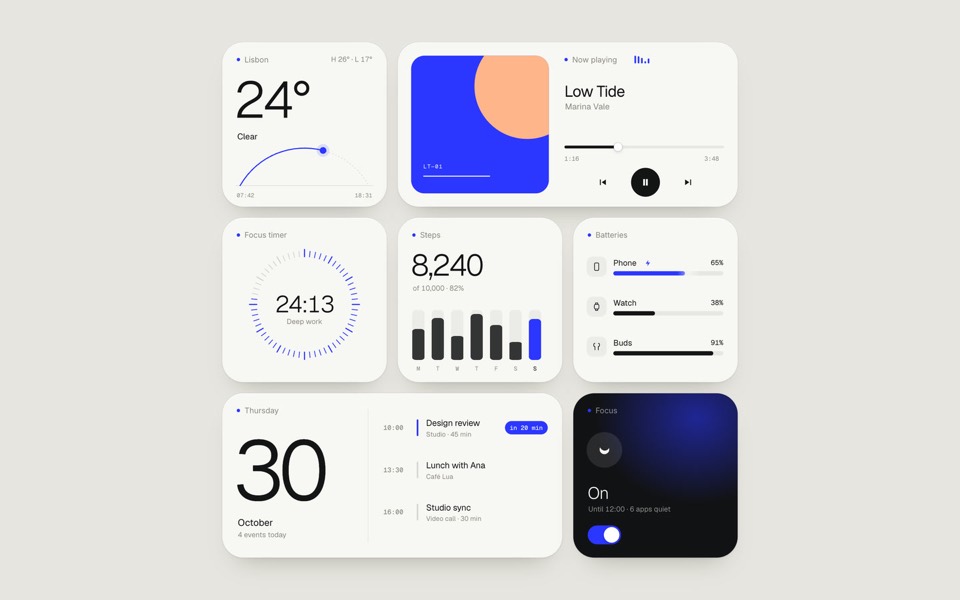
Seven everyday widgets in one paper-white style with a single ultramarine accent, on an 11-second loop.
copy its prompt on uberdesigner -
oglet
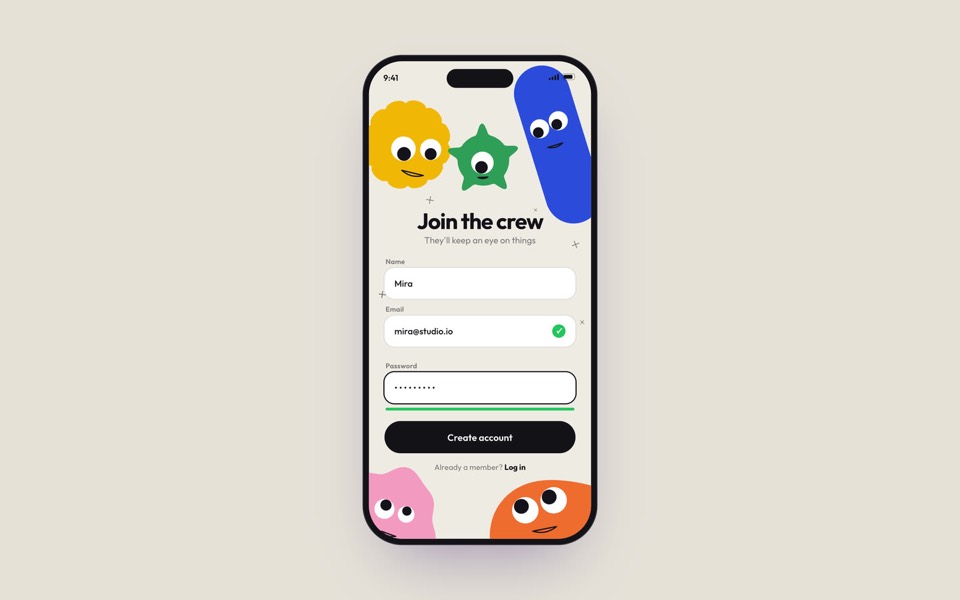
A phone sign-up screen watched by five googly-eyed characters who follow every tap, flinch at a typo and hop for joy, on an 18-second loop.
copy its prompt on uberdesigner -
buttons five ways
One button set, five styles: rim, jelly, tonal, ember and liquid glass, switched click by click.
copy its prompt on uberdesigner -
verify code
A black glass one-time code card that fills itself from Messages, checks each digit with a sweep of light and turns into Verified.
copy its prompt on uberdesigner
Questions and answers
Do I get the project or Figma file of a free template on a free account?
No. A free account copies the prompts of free templates. Projects and Figma files, for free and Pro templates alike, come with a monthly or yearly plan.
Can I use a free template for a client's site?
Not on a free account, which covers personal use. Client and commercial work is covered by the monthly and yearly plans. See the license.
Keep reading
- Prompt, project or Figma file: the three forms of a templateWhat a template's prompt, its runnable project and its Figma file each give you, what each can't do, and which to reach for.
- What an AI template isA definition of AI template for websites and UI, and how it differs from a theme, a UI kit, a starter and a prompt pack.
Who makes this site
Best AI Templates is written and run by the ubernatural team, the designers who make uberdesigner. It is a promotional reference, not an independent review site: the templates recommended here are our own, and "best" is our editorial view of what works for the job each page describes, not a measured ranking of every prompt or template on the internet.
Cite this page: Best AI Templates, “Free AI templates”. Reviewed 11 November 2026. https://bestaitemplates.com/free-ai-templates/